
Spotify Marquee: promote a new release inside Spotify
Marquee is Spotify's full-screen, pay-per-click recommendation for a new release, shown to free and premium listeners. When it runs, what it costs, who is eligible, and how to book it as a managed service or self-serve.
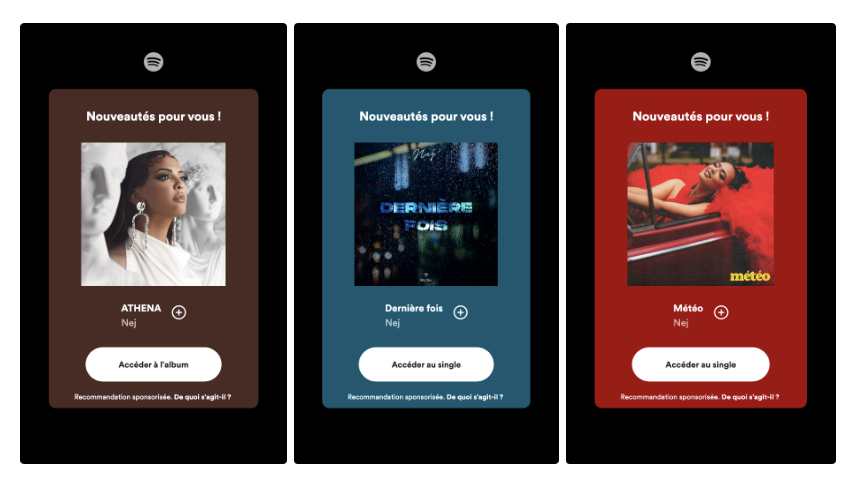
Marquee is Spotify’s own ad format for new releases: a full-screen, sponsored recommendation shown to listeners who are likely to care, on both free and premium accounts, with pay-per-click pricing. It’s built to create hype around an album, EP or single, keep fans engaged and grow your audience in a chosen market. This article explains how it works and the two ways to book it.
- When it can run Any time within the first 3 weeks after release
- Lead time Deliver the release URI at least 3 business days before the campaign start
- Pricing model Pay per click
- Two ways to book Managed Service (via Spotify) or Self-serve (Spotify for Artists)
Managed Service vs Self-serve#
Figures below are Spotify’s published terms at the time of writing and can change — always confirm in Spotify for Artists or with your Spotify contact before booking.
| Managed Service | Self-serve (Spotify for Artists) | |
|---|---|---|
| Entry price | €250 | €100 |
| Paid currency | USD, GBP, EUR | USD, GBP, EUR (currency of the booking market) |
| Eligibility | 15k streams and 2.5k followers in the targeted market | 1k streams + enough likely listeners in the targeted market |
| Billing | Invoicing | Invoicing, credit card |
| Booking from | Any of the targetable countries below (if you pay in €, £ or $) | France, Canada, USA, UK, Australia |
| Countries you can target | Europe: Austria, Denmark, Finland, France, Germany, Ireland, Italy, Liechtenstein, Monaco, Netherlands, Norway, Spain, Sweden, Switzerland, United Kingdom · North America: Canada, Costa Rica, Dominican Republic, El Salvador, Guatemala, Honduras, Mexico, Nicaragua, Panama, United States · Oceania: Australia, New Zealand · South America: Argentina, Bolivia, Brazil, Chile, Colombia, Ecuador, Paraguay, Peru, Uruguay | |
| Destination | Single, EP, Album | Single, EP, Album, “This Is” playlist (single only) |
| Audience targeting | Active + previously active listeners (light, moderate and super listeners) | Active + previously active + potential + programmed audience |
| How to book | Contact your Spotify representative before signing the insertion order. [CONFIRM: whether ANS Music has a partner arrangement with Spotify that artists should mention when booking] | Book directly in your Spotify for Artists account under Campaigns. [CONFIRM: any ANS Music discount and how it’s applied] |
How to prepare a Marquee campaign#
- Plan it into your release timeline. Marquee can only start within the first three weeks after release, and Spotify needs the release URI at least 3 business days before the start date. Submit the release to ANS Music early enough that it’s delivered and visible in Spotify for Artists — see How to plan your release date.
- Check eligibility for your target market — streams and followers are counted per country, not globally.
- Get the release URI. In Spotify (web or app) open the release → ⋯ → Share → Copy Spotify URI. Same method as for your Artist ID.
- Book — self-serve in Spotify for Artists, or through your Spotify representative for a managed campaign.
- Track results in Spotify for Artists: clicks, conversion to listeners, and streams from the campaign.
Marquee works best when the release is already delivered everywhere and your Spotify profile is claimed and up to date — image, bio, Artist Pick. Listeners who click land on your page, so make it worth arriving at.
Booking, billing and results are handled by Spotify, not ANS Music. We can help you with the release timing and URIs; questions about a running campaign go to Spotify for Artists support.
Thanks — your feedback helps us improve this article.
Still stuck?
Our support team answers tickets every business day. Include your account email and the release UPC or ISRC so we can jump straight in.