
Find your music on Instagram (and search by ISRC)
Your track is delivered to Instagram but you cannot find it in the music sticker? Search by artist name, song title, or — most reliable — by ISRC using "isrc:" followed by your code.
Instagram’s music picker is powered by the Meta music library, which ANS Music delivers your releases to. Searching by title doesn’t always surface a new track straight away — but searching by ISRC almost always does. Here’s how to find your music in a Story or Reel, and what to check if it isn’t there.
- Delivered via Facebook Audio Library (Meta) — about 2 days after approval
- Most reliable search
isrc:+ your ISRC, no spaces or hyphens - Your ISRC On the release page in Backstage
Step by step#
- Open Instagram, go to your profile and tap the + / Story button.
- Choose Story from the options at the bottom.
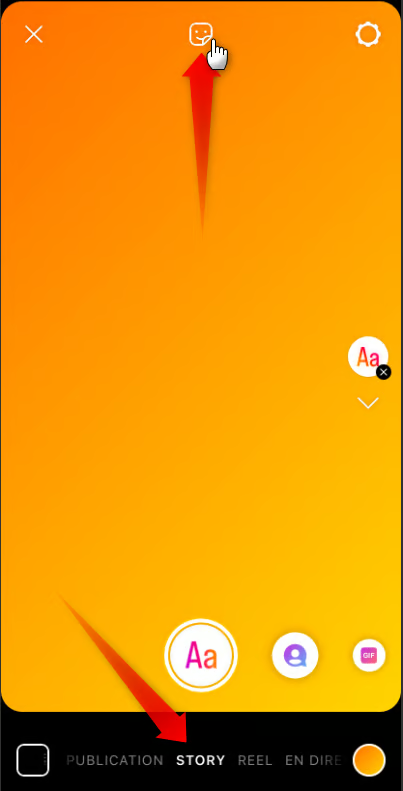
Instagram create screen with STORY selected at the bottom - Tap the sticker icon, then Music.
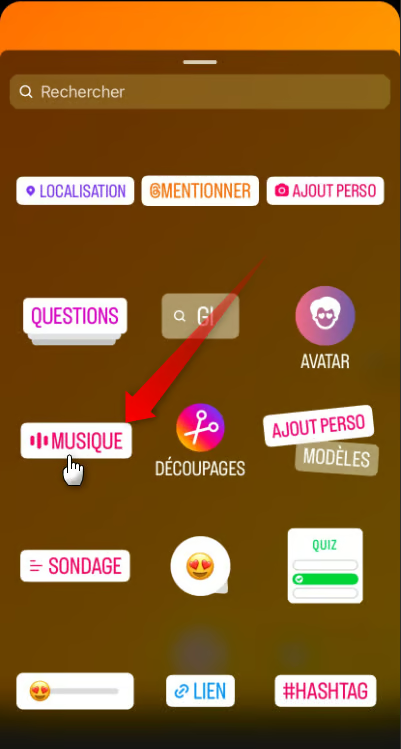
Instagram sticker tray with the Music sticker highlighted - Search by artist name, song title — or by ISRC (below).
Search by ISRC#
If the title search returns nothing (common with brand-new releases, common titles, or non-Latin titles), search by the recording’s ISRC. In the search field type isrc: immediately followed by the code, without spaces or hyphens:
isrc:QTXXX2612345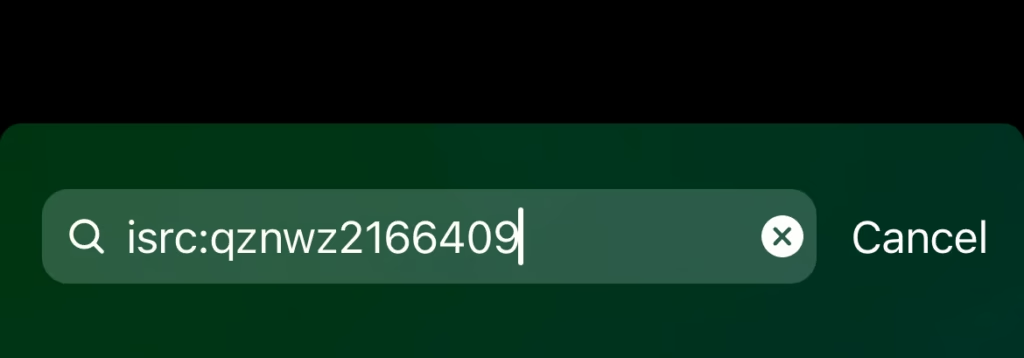
This shows any track that’s correctly present in the Meta library, even when a title search finds nothing. Your ISRCs are listed on each release in Backstage — see ISRC and UPC codes explained.
If the release hasn’t been ingested yet, or isn’t available in the Meta library, it won’t appear in Instagram music search at all. Facebook Audio Library processes deliveries in about 2 days after we send them — see DSP delivery lead times.
Still can’t find it?#
- Was Facebook / Instagram selected for the release? Check the store list in Backstage.
- Is the track eligible? Tracks flagged as problematic deliveries are removed from the music library.
- Region. Music availability on Instagram varies by country and by account type (some business accounts only see royalty-free music).
- Still missing well after the lead time? Open a ticket with the ISRC.
Instagram’s search results are driven by an algorithm nobody controls. The more your fans search for and use your track in their Stories and Reels, the higher it climbs — so share the ISRC search trick with them, or pin a Reel using the track.
Thanks — your feedback helps us improve this article.
Still stuck?
Our support team answers tickets every business day. Include your account email and the release UPC or ISRC so we can jump straight in.